You are viewing documentation for an older version (0.11.0) of Kafka. For up-to-date documentation, see the latest version.
Introduction
Kafka Streams API
The easiest way to write mission-critical real-time applications and microservices with all the benefits of Kafka’s server-side cluster technology.
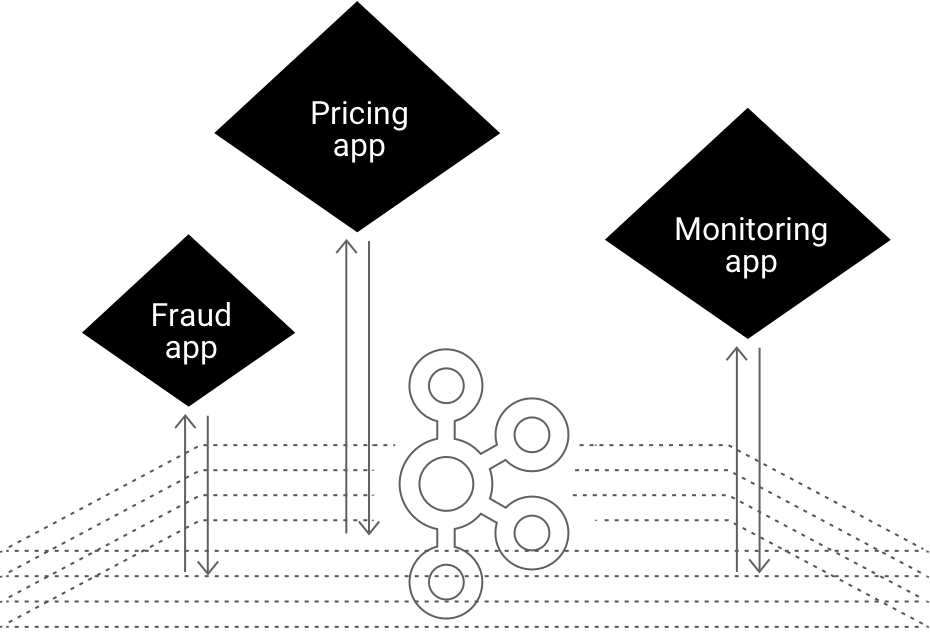
- Write standard Java applications
- Exactly-once processing semantics
- No seperate processing cluster required
- Develop on Mac, Linux, Windows
- Elastic, highly scalable, fault-tolerant
- Deploy to containers, VMs, bare metal, cloud
- Equally viable for small, medium, & large use cases
- Fully integrated with Kafka security

 Developer manual
 Tutorials
 Concepts
Hello Kafka Streams
The code example below implements a WordCount application that is elastic, highly scalable, fault-tolerant, stateful, and ready to run in production at large scale
import org.apache.kafka.common.serialization.Serdes;
                import org.apache.kafka.streams.KafkaStreams;
                import org.apache.kafka.streams.StreamsConfig;
                import org.apache.kafka.streams.kstream.KStream;
                import org.apache.kafka.streams.kstream.KStreamBuilder;
                import org.apache.kafka.streams.kstream.KTable;

                import java.util.Arrays;
                import java.util.Properties;

                public class WordCountApplication {

                    public static void main(final String[] args) throws Exception {
                        Properties config = new Properties();
                        config.put(StreamsConfig.APPLICATION_ID_CONFIG, "wordcount-application");
                        config.put(StreamsConfig.BOOTSTRAP_SERVERS_CONFIG, "kafka-broker1:9092");
                        config.put(StreamsConfig.DEFAULT_KEY_SERDE_CLASS_CONFIG, Serdes.String().getClass());
                        config.put(StreamsConfig.DEFAULT_VALUE_SERDE_CLASS_CONFIG, Serdes.String().getClass());

                        KStreamBuilder builder = new KStreamBuilder();
                        KStream<String, String> textLines = builder.stream("TextLinesTopic");
                        KTable<String, Long> wordCounts = textLines
                            .flatMapValues(textLine -> Arrays.asList(textLine.toLowerCase().split("\W+")))
                            .groupBy((key, word) -> word)
                            .count("Counts");
                        wordCounts.to(Serdes.String(), Serdes.Long(), "WordsWithCountsTopic");

                        KafkaStreams streams = new KafkaStreams(builder, config);
                        streams.start();
                    }

                }


                import org.apache.kafka.common.serialization.Serdes;
                import org.apache.kafka.streams.KafkaStreams;
                import org.apache.kafka.streams.StreamsConfig;
                import org.apache.kafka.streams.kstream.KStream;
                import org.apache.kafka.streams.kstream.KStreamBuilder;
                import org.apache.kafka.streams.kstream.KTable;
                import org.apache.kafka.streams.kstream.KeyValueMapper;
                import org.apache.kafka.streams.kstream.ValueMapper;

                import java.util.Arrays;
                import java.util.Properties;

                public class WordCountApplication {

                    public static void main(final String[] args) throws Exception {
                        Properties config = new Properties();
                        config.put(StreamsConfig.APPLICATION_ID_CONFIG, "wordcount-application");
                        config.put(StreamsConfig.BOOTSTRAP_SERVERS_CONFIG, "kafka-broker1:9092");
                        config.put(StreamsConfig.DEFAULT_KEY_SERDE_CLASS_CONFIG, Serdes.String().getClass());
                        config.put(StreamsConfig.DEFAULT_VALUE_SERDE_CLASS_CONFIG, Serdes.String().getClass());

                        KStreamBuilder builder = new KStreamBuilder();
                        KStream<String, String> textLines = builder.stream("TextLinesTopic");
                        KTable<String, Long> wordCounts = textLines
                            .flatMapValues(new ValueMapper<String, Iterable<String>>() {
                                @Override
                                public Iterable<String> apply(String textLine) {
                                    return Arrays.asList(textLine.toLowerCase().split("\W+"));
                                }
                            })
                            .groupBy(new KeyValueMapper<String, String, String>() {
                                @Override
                                public String apply(String key, String word) {
                                    return word;
                                }
                            })
                            .count("Counts");
                        wordCounts.to(Serdes.String(), Serdes.Long(), "WordsWithCountsTopic");

                        KafkaStreams streams = new KafkaStreams(builder, config);
                        streams.start();
                    }

                }


                import java.lang.Long
import java.util.Properties
                import java.util.concurrent.TimeUnit

                import org.apache.kafka.common.serialization._
                import org.apache.kafka.streams._
                import org.apache.kafka.streams.kstream.{KStream, KStreamBuilder, KTable}

                import scala.collection.JavaConverters.asJavaIterableConverter

                object WordCountApplication {

                    def main(args: Array[String]) {
                        val config: Properties = {
                            val p = new Properties()
                            p.put(StreamsConfig.APPLICATION_ID_CONFIG, "wordcount-application")
                            p.put(StreamsConfig.BOOTSTRAP_SERVERS_CONFIG, "kafka-broker1:9092")
                            p.put(StreamsConfig.DEFAULT_KEY_SERDE_CLASS_CONFIG, Serdes.String().getClass)
                            p.put(StreamsConfig.DEFAULT_VALUE_SERDE_CLASS_CONFIG, Serdes.String().getClass)
                            p
                        }

                        val builder: KStreamBuilder = new KStreamBuilder()
                        val textLines: KStream[String, String] = builder.stream("TextLinesTopic")
                        val wordCounts: KTable[String, Long] = textLines
                            .flatMapValues(textLine => textLine.toLowerCase.split("\W+").toIterable.asJava)
                            .groupBy((_, word) => word)
                            .count("Counts")
                        wordCounts.to(Serdes.String(), Serdes.Long(), "WordsWithCountsTopic")

                        val streams: KafkaStreams = new KafkaStreams(builder, config)
                        streams.start()

                        Runtime.getRuntime.addShutdownHook(new Thread(() => {
                            streams.close(10, TimeUnit.SECONDS)
                        }))
                    }

                }
See how Kafka Streams is being used

Rabobank is one of the 3 largest banks in the Netherlands. Its digital nervous system, the Business Event Bus, is powered by Apache Kafka and Kafka Streams. Learn More

As the leading online fashion retailer in Europe, Zalando uses Kafka as an ESB (Enterprise Service Bus), which helps us in transitioning from a monolithic to a micro services architecture. Using Kafka for processing event streams enables our technical team to do near-real time business intelligence. Learn More
Previous Next